You are riding a fast horse
It's not easy to be the one to tell you this, but you're riding a fast horse. How you work and how leading tech companies on the edge work are not the same. It isn't a matter of style or preference. You never had a chance, no matter how much you optimize, refine and read up on how to do modern AI development. The problem is similar to one we've always had with humans: some get knives and some get guns. The fights really aren't fair. Sure, there are ways to close the gap, but 9 times out of 10 having access to the latest tools, infra and resources completely changes how you can approach a problem.
My goal with Friendly AI and https://hive.codes is to close the gap between happiness and reality. That gap is usually filled with missing features, bugs and lack of signal.
More capability, more results
What I realized through building for AI (really building AI systems for humans) is that the more capability we give AI, the more it is able to achieve. It sounds simple, but what it achieves frequently dwarfs what I could achieve myself. One example is how tool calls spread through AI agents. We went from read tools to write tools to research tools, and now I can hand large scoped problems off to AI.
We used to only talk to ChatGPT in the browser. It had no access to our code. It just gave us answers and was still super useful. Over time we started connecting it to tools that gave it access to code, even if it was read only. That let models run grep, analyze logs and pull information as they needed it.
Next we gave models write tools. They can mutate disk, call bash and write scripts. That let a model act as the orchestrator or brain, even if it was a rudimentary brain (Sonnet 3.5 era).
From there came data access, first as RAG (think 1 search injected into the initial prompt) and then web tools, data warehouse tools and read access to various analytics systems. Models can now write code and also validate that it is working correctly.
Past tooling, we gave models more access to themselves: ways to spawn their own sub agents, to optimize conversations, to rewrite MCP calls into scripts. Generally this change let agents orchestrate the process and not just give an answer.
The fast horse
This is sort of where must of us are now. We use MCPs, skills and tools. We give AI access to our git repos, both local and remote. We feed skills and practices into an agent, then open our CLI and tell it to start coding. The agent churns on our laptop, maybe spawns a few subagents, and if you have a nice setup maybe even creates a few worktrees to help itself research and implement. The models are incredible at this point, and you can usually walk away and come back hours or days later to a finished product. You test it on your laptop and are happy that some feature got completed. Over time, optimizing your local setup will incrementally improve these results. Your horse will slowly get faster but its still just one horse. We need horsepower and not just one horse.
How I work
Let's now switch to how I work. Last night while lying in bed I saw a competing product tweet about a cool feature they have, and I wanted to see how I could add it to Hive. I do things like this frequently: see an idea and try to get AI to implement it. I no longer think of it as working with 1 agent or pairing. I think of it as delegating work to an elastic team of engineers, designers, schedulers and validators.
This is what I typed:
T3 codes tweeted that they allow you to change the ui and even do it from inside a session. Spawn session to Research how that works and how dynamic or user changed UIs can work and then spawn workers to actually do it. The goal would be to allow completely changing what the side bars or main window show in session or how they show I guess. Not sure exactly how far is possible but we would want to be bleeding edge of functionality at a high bar of usability and flexibility
If this was last year I would have walked downstairs, opened my laptop, gone into the Claude Code CLI, put that prompt in and spent a few hours babysitting it before telling it I'd resume in the morning. I think 99% of folks still work this way. Claude would start the session locally, maybe create a worktree if I'm lucky, and go off working. It would spawn a few subagents to research. One might even clone T3 Code or search the web a bit, and then it would try to one shot the work. I'd wager a 20% chance it would be usable code, and I'd spend the next day compiling, testing and cleaning up the vibe coded mess. I'd probably also have to say yes to a permission prompt 50 to 500 times, since this is running on my laptop where I keep all my things 😅
Let's instead walk through how I actually did the work. As a note, I am using https://hive.codes, but I see folks do the same without it. The important thing is the workflow and the capabilities over any one tool choice.
Reason 1: I don't write the prompt
First I go to my main hive. It's sort of a dispatcher that already knows the repos I work in and the past 50 to 100 session prompts I sent when starting past work.
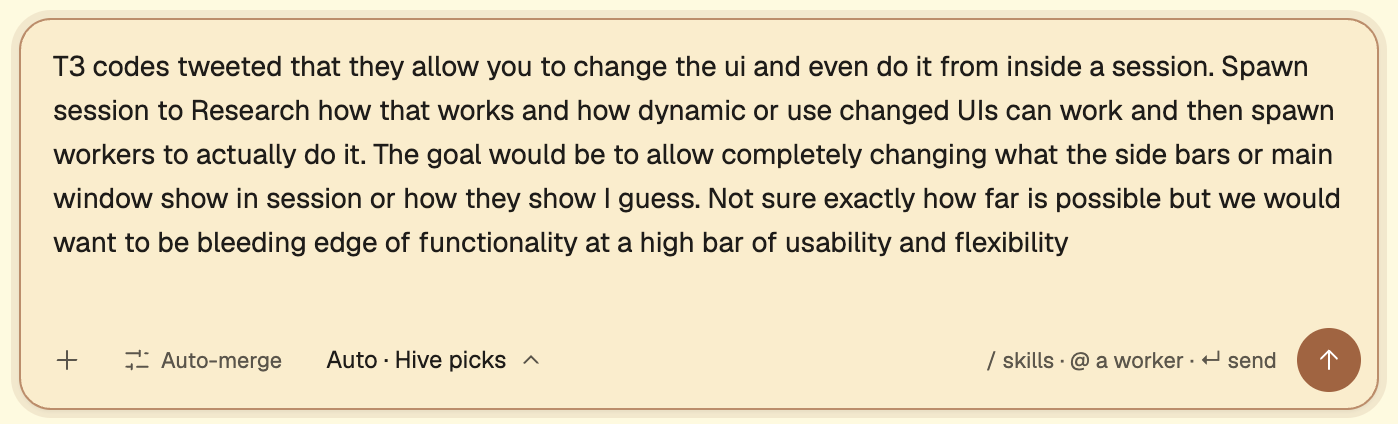
I don't pick a model and send it my prompt. The first thing Hive does is use Opus 5.5 (configurable) to craft the actual prompt that gets sent to a session.
This is the first reason you don't stand a chance: you are prompting AI and not letting AI create loops for you.
The full prompt that Opus sent to my worker is below.
Research how Hive can let users change its UI, including from inside a session, and produce the architecture and work plan that separate implementation workers will build from. You are the research and architecture phase; do not build the full feature.
Why
T3 Code (the agent harness from T3 / Theo, a direct competitor to Hive) tweeted that they allow you to change the UI, and even do it from inside a session.
The user wants Hive to be at the bleeding edge of this: "allow completely changing what the side bars or main window show in session or how they show". They are "not sure exactly how far is possible", and want "bleeding edge of functionality at a high bar of usability and flexibility". Your job is to find out how far is possible and recommend how far Hive should go.
Part 1: How T3 Code does it
Find the tweet or announcement (the user gave no link; search X/Twitter, the T3 Code site, changelog, docs, Discord posts, YouTube, and any source repository; I believe T3 Code is open source, verify that and read the actual implementation if so). Establish the real mechanism, not the marketing: is the agent editing the app's own source with hot reload, is there a plugin or extension API, user CSS or themes, a layout config, generated components, something else? What can and cannot be changed? How are changes persisted, shared, undone? What is the security model? What breaks on update? If you cannot find the tweet or confirm the mechanism, say exactly what you found and what is inference.
Part 2: State of the art for user-changed and dynamic UI
Survey the approaches that matter and what each buys and costs, with sources. At least:Extension and plugin systems: VS Code (contribution points, webviews), Obsidian, Raycast, Figma (sandboxed plugins), Zed (WASM extensions), Neovim/Emacs as the "everything is user code" extreme, browser userscripts and user CSS, Arc Boosts.Agent-generated and generative UI: MCP Apps / MCP-UI, Vercel AI SDK generative UI, Google A2UI, declarative JSON-rendered UI, Claude artifacts, tldraw "make real", any agent harness that lets the agent reshape its own interface.Isolation and delivery techniques: sandboxed iframes and CSP, Shopify remote-dom style remote rendering, module federation, WASM components, declarative layout schemas, design tokens.Configurable-surface products: Grafana panels, Home Assistant dashboards, Notion and Linear custom views.
Say which ideas are proven, which are experimental, and which fit an app like Hive that runs on phone and desktop.
Part 3: What Hive has today
Read the Hive codebase and map the session screen: sidebars, main window, panels, tabs, transcript rendering, themes, and every existing extension point (for example themes, Skills & MCP, MCP app views, the sandboxed published-page view in transcripts, user settings and how they are stored and synced). Note what is hard-coded, what is already data-driven, and where a customization layer could attach with the least risk. Check open pull requests and recent merges for overlapping work, including the recent design pass, the pixel art theme and the modern web guidance branch.
Part 4: Recommendation for Hive
Recommend an architecture, likely layered from safest to most powerful (for example: tokens and themes, then layout and which panels show where, then declarative custom panels bound to session data, then sandboxed custom code panels, with agent tools so a user can ask in a session "make the right sidebar show X" or "replace this view with Y" and see it change live). Decide and justify:What a user can change: sidebars, main window, per-session versus per-hive versus account-wide.How the agent in a session authors and applies a change, and how the user previews, accepts, undoes and resets it. There must be a safe mode or reset that always works, even when a customization breaks the screen.The data and action contract custom UI gets (session state, files, diffs, workers, messages), and its permission model.Security: custom UI is untrusted code or content. Tokens, other users' data, prompt injection through generated UI, CSP and sandboxing.Persistence, sync across devices, versioning and migration when Hive's own UI changes, sharing or export.Phone and desktop, accessibility, performance budget.What "bleeding edge" means concretely here: the two or three things that would put Hive ahead of T3 Code and everyone else, and what to leave out.
If a small feasibility spike in the running app would settle the riskiest question (for example a sandboxed custom panel fed live session data and changed from inside a session), build it and include evidence; keep it clearly a spike.
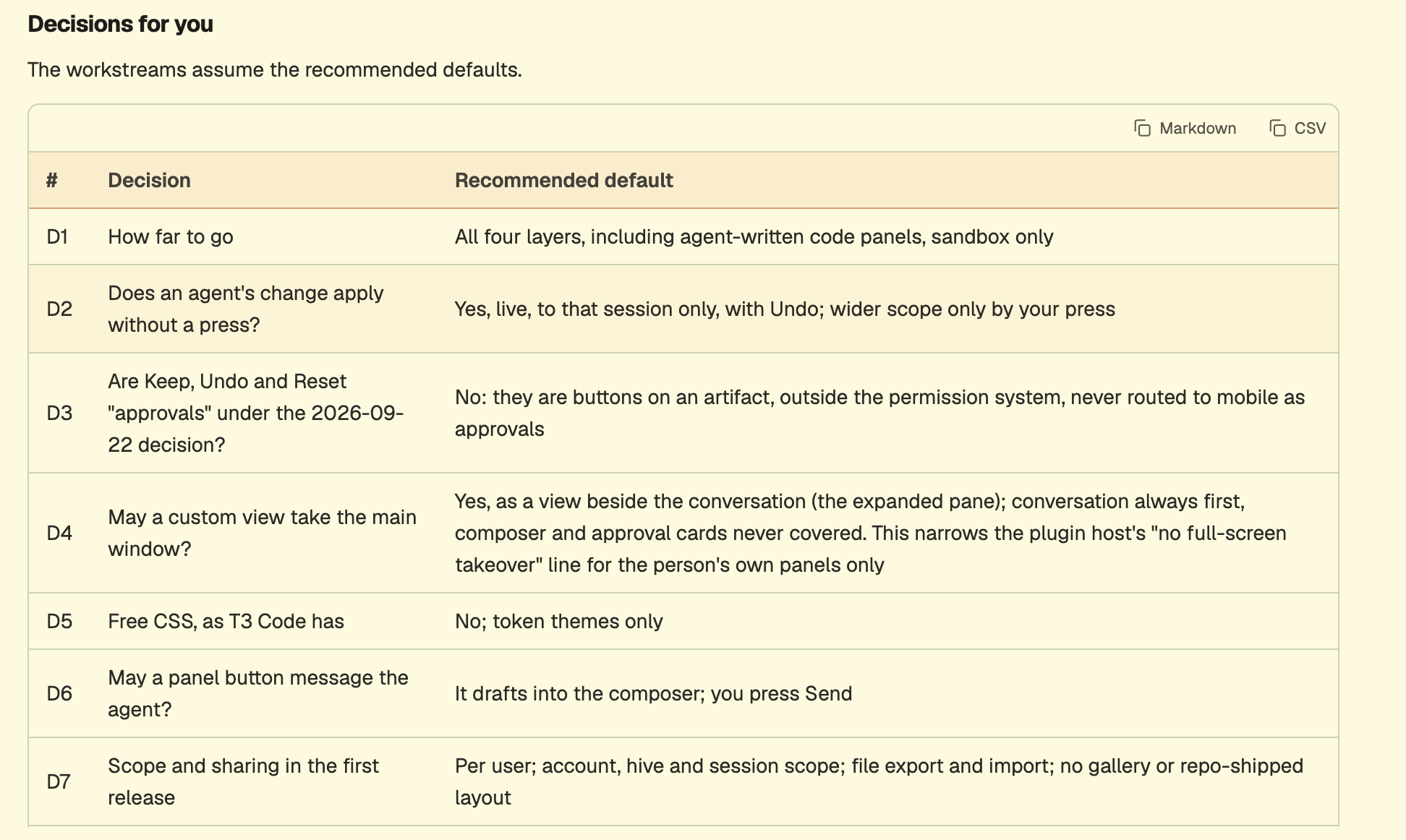
DeliverablesA research and design document committed to the repository through a pull request: findings with sources, comparison of approaches, the map of Hive today, the recommended architecture, and the open decisions.A workstream plan in that document. Each workstream must be a self-contained goal that a separate worker, who cannot see your session, could execute: outcome, scope, files or areas touched, the shared contracts it depends on or provides, what done looks like, and how to verify it. Give the dependency order, say which workstream has to land first as the foundation, which can run in parallel, and the branch strategy so parallel workers do not collide.A short list of decisions the user has to make, with your recommended default for each (for example how far to go on arbitrary code, sharing between users, security trade-offs).
Your final message must contain the summary of findings, the recommendation, the decisions for the user and the full workstream list with each goal written out, because the coordinator will launch the implementation workers from it.
Let's unpack how we went from my late night prompt to the spec above.
LLMs are good at keeping everything in their context at once. Humans, not so much. Depending on the time of day, how tired I am and my mood, I can forget to include details that are needed. Newer models will point to the same helpers, read the same guidance and do the right thing more often than I will (I know that's a big statement). Having an orchestrator that remembers my last prompts gets me two things. New prompts won't repeat work that is already in progress. And the level of detail lines up with how current models behave, since Opus makes plans the way Claude models expect to see them. I review, but mostly I let the model write the actual prompt. That prompt then gets sent to a worker on a sandboxed remote VM.
As part of the orchestration toolset I give it a model routing tool, which helps the Opus orchestrator decide which model each child session should use. It can choose any Claude or Codex model, or a limited set of OSS (OpenCode) models.
Reason 2: the work doesn't run on my laptop
Spawning a VM lets me isolate the work from where I started it. I can start on a phone, on my laptop or from anywhere I can reach a browser. Then I can go to bed without having to keep a computer open.
Reason 3: every session starts from what we already know
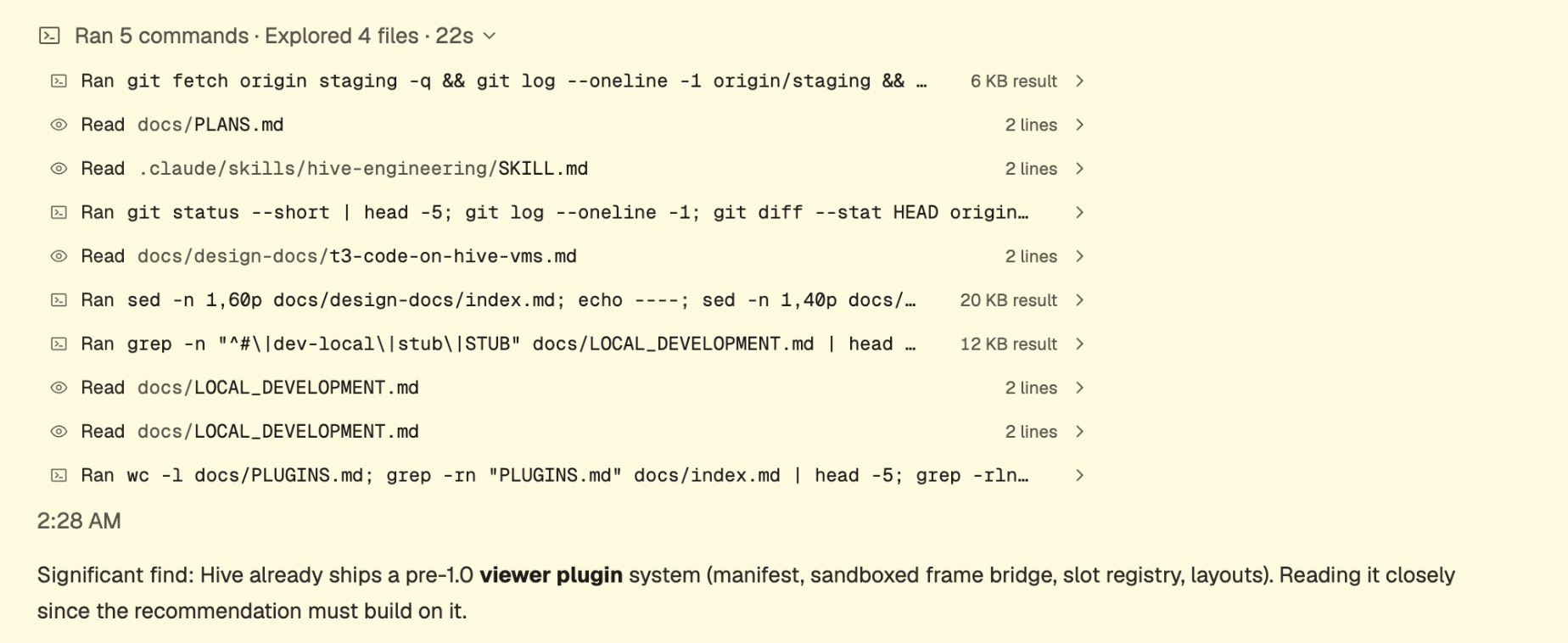
When the session started, it checked my harness for previous or current work. I lean heavily into a setup similar to https://openai.com/index/harness-engineering/, where any of my sessions can read and update a collection of files that maintain the agent state. For instance, my core beliefs, current schemas, any work in progress, design guidance, security rules and execution plans are all accessible to sessions.
AGENTS.md
ARCHITECTURE.md
docs/
├── design-docs/
│   ├── index.md
│   ├── core-beliefs.md
│   └── ...
├── exec-plans/
│   ├── active/
│   ├── completed/
│   └── tech-debt-tracker.md
├── generated/
│   └── db-schema.md
├── product-specs/
│   ├── index.md
│   ├── new-user-onboarding.md
│   └── ...
├── references/
│   ├── design-system-reference-llms.txt
│   ├── nixpacks-llms.txt
│   ├── uv-llms.txt
│   └── ...
├── DESIGN.md
├── FRONTEND.md
├── PLANS.md
├── PRODUCT_SENSE.md
├── QUALITY_SCORE.md
├── RELIABILITY.md
└── SECURITY.md
When this session started, it found that we already had a rudimentary plugin system in a side panel. It found this from the completed design docs. Having this sort of memory system decoupled from the actual workers allows any new worker to capture previous decisions and outcomes as a signal
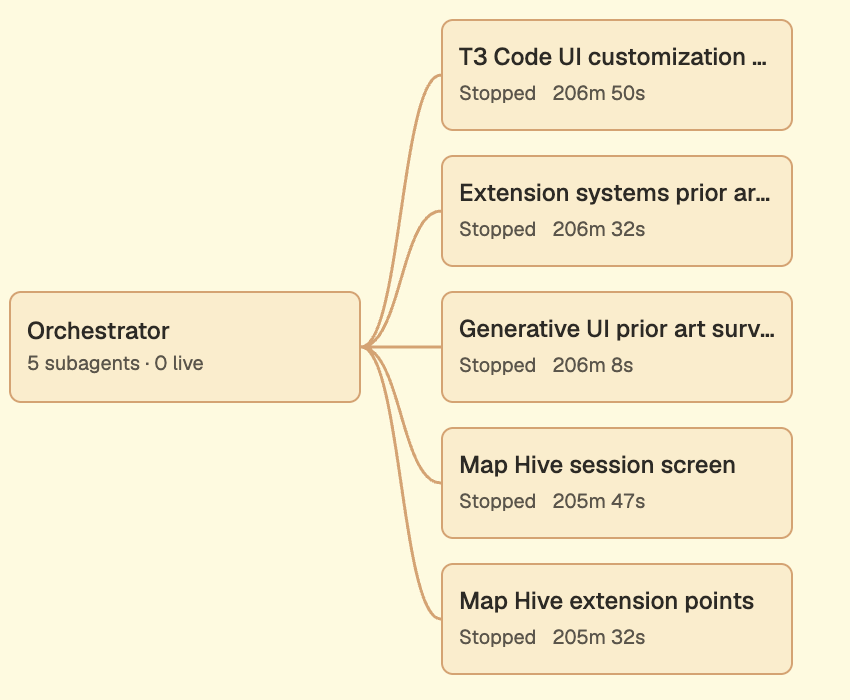
Next the agent started its research by spawning 5 research agents. These ran as subagents in the same VM. They didn't need to clone a repo or use many resources, so they shared the sandbox.
Reason 4: nothing counts without evidence
After research the agent used screenshot tools to validate how the current feature works. A harness is only as good as its validation loop. In Hive we give our agents the ability to start browsers, take screenshots, drive the screen and validate results. All of it gets logged as verification files on the branch, and I can see it in the UI.
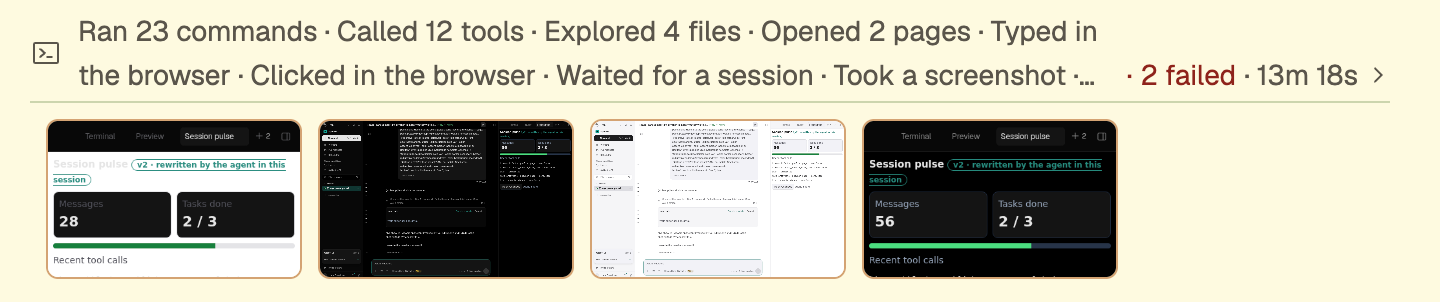
We invested pretty heavily in the "if a tree falls and no one hears it" mode. Every piece of evidence the model makes gets recorded, whether it's a screenshot or the command output that validated the initial spec. Any open questions get pushed to me as a push alert.
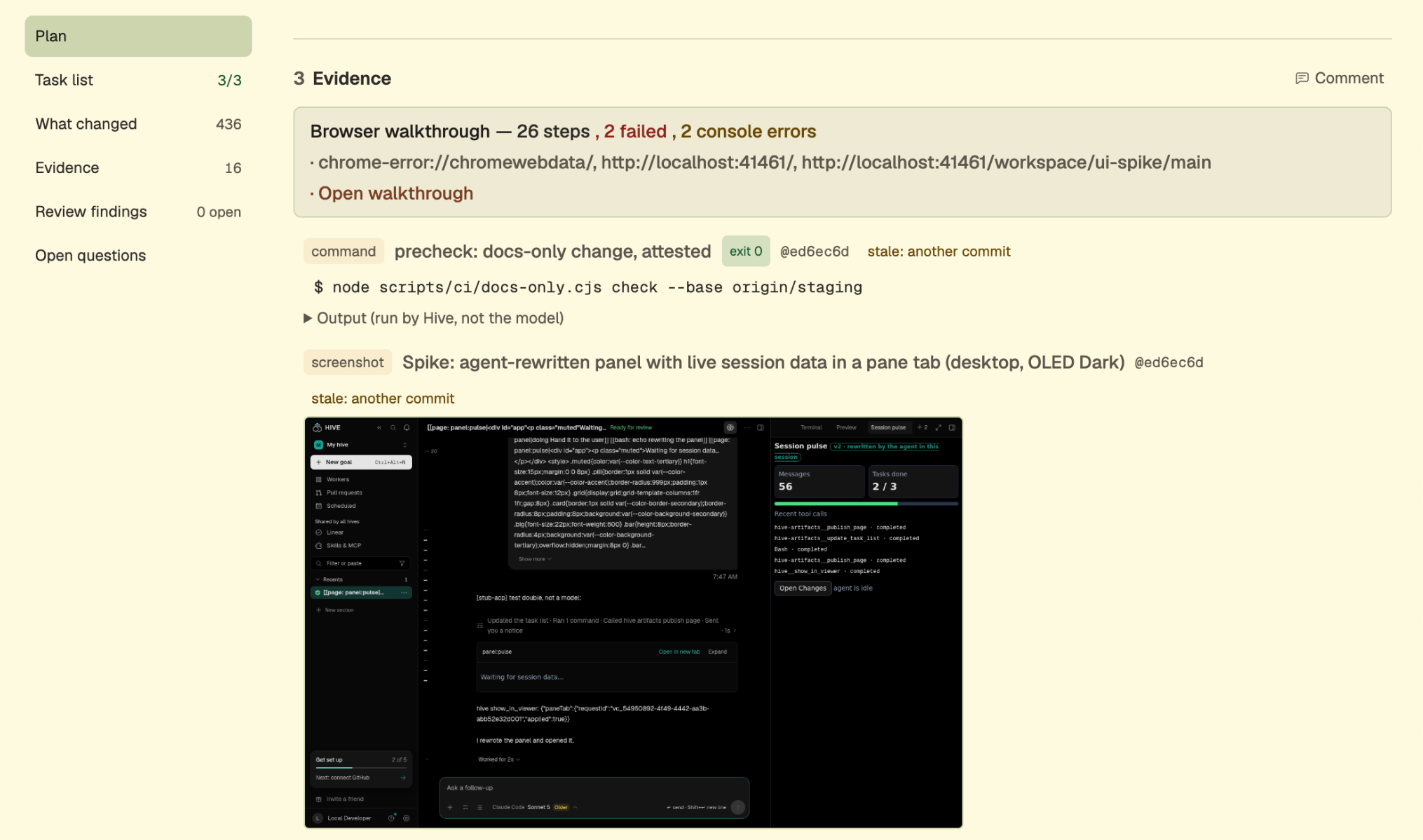
A session can work this way for as long as it needs to: running tools, verifying behavior, researching with subagents and pushing questions to a human. To keep costs down we start every VM at 4 GB of RAM and 10 GB of storage and scale both as the agent needs them. The agent has access to the scaling tools itself. For example, it will ask for 8 GB more before running E2E UI tests that need Chromium installed.
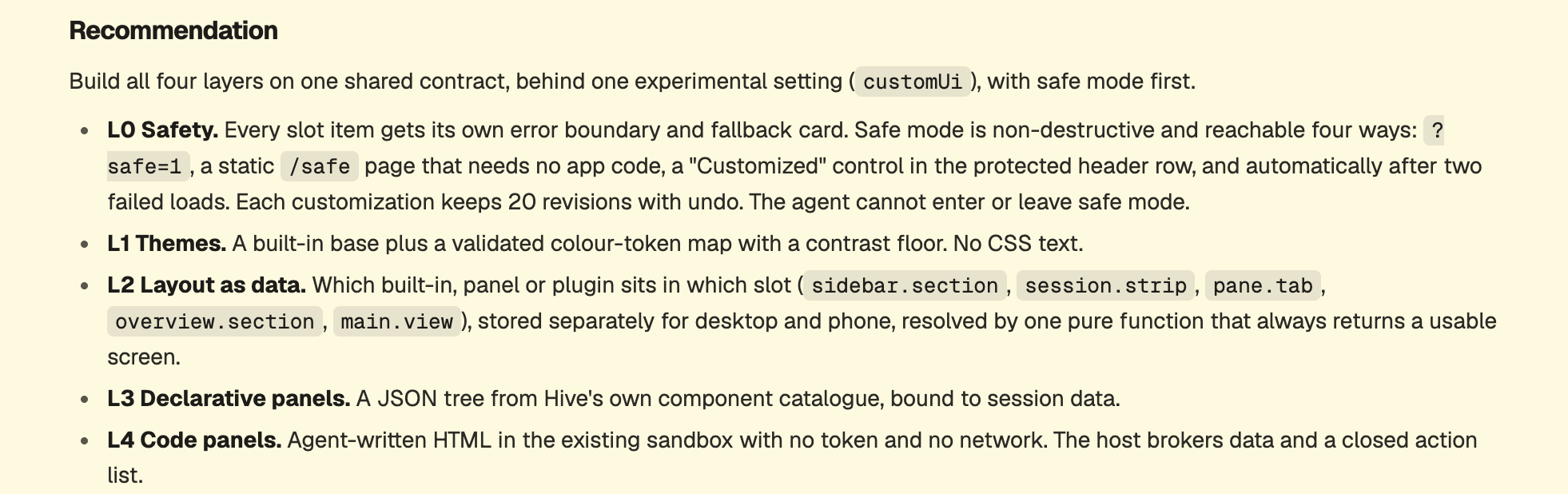
Findings are posted in the session and in a PR as evidence.

Recommendations are made to me for what to do next.
For each decision I get a push alert on my phone or computer, and the agent waits for a response before continuing.
Reason 5: one agent can start fifteen machines
My agent then created a bunch of workstreams. This is one of those forest for the trees moments. An agent plans only as well as the capabilities you give it. Unlike when I work on my local computer, we give Hive the ability to create up to 15 child VMs and a set of tools for driving and listening to each one of them. Below is the beginning of a plan that works out the dependencies between what to run when. It doesn't just plan the work, it plans how the work gets done, how to communicate, what failure modes are and what success looks like. Giving tools to create new remote workers has been on of the biggest step function improvements in my AI SDLC
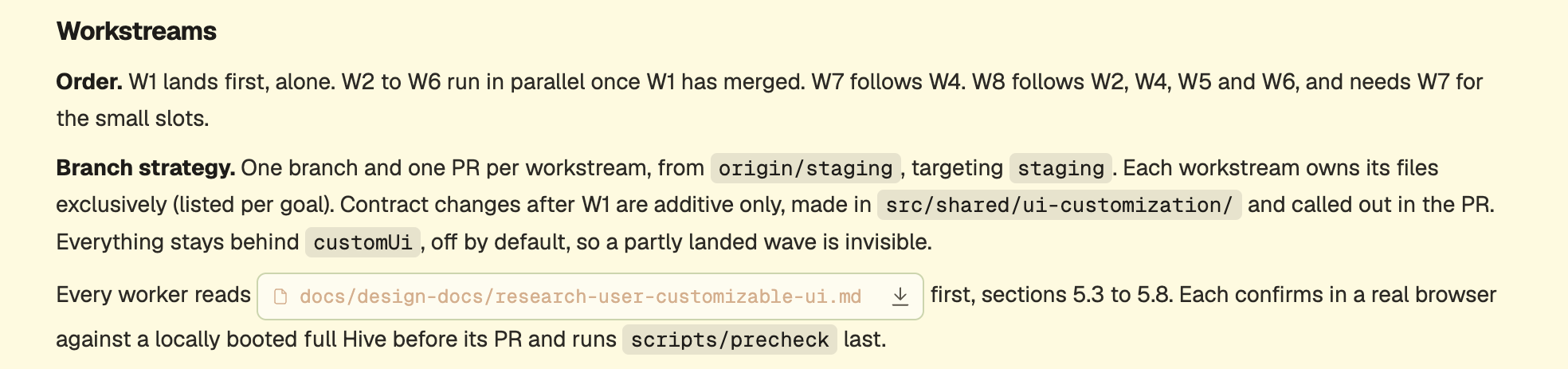
Could I have done this on a single computer? Maybe. I doubt it, as there simply isn't enough RAM for everything to run at once. Even if there was, local agents have this funny habit of using up all my disk space by making endless worktrees. And doing it in serial on one laptop would have taken 8x as long. It also just changes how one works - if you tell someone they have 1 employee vs 20, they will formulate a different plan on how to solve a problem.
Similar to how Hive lets us see our subagents, we can also observe the other VMs that get made. Below you can see my research agent created 6 other full VMs to help it complete the task.
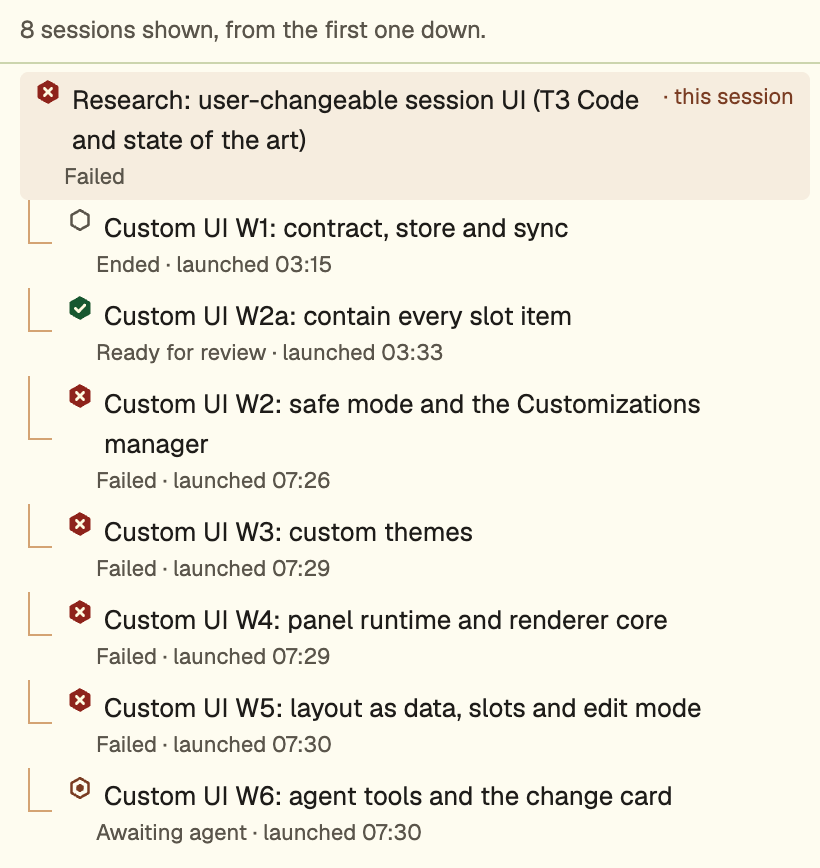
Reason 6: agents talk to each other
Having agents work together is similar to humans. We want to give them goals, ways to validate those goals and the ability to communicate with each other and with whoever gave them the goal. Hive gives each agent the ability to message others. On top of that, there are automatic workers that audit and review any work I have in progress. In this case our plan had a glaring security issue. A verification agent found it and notified our research agent.
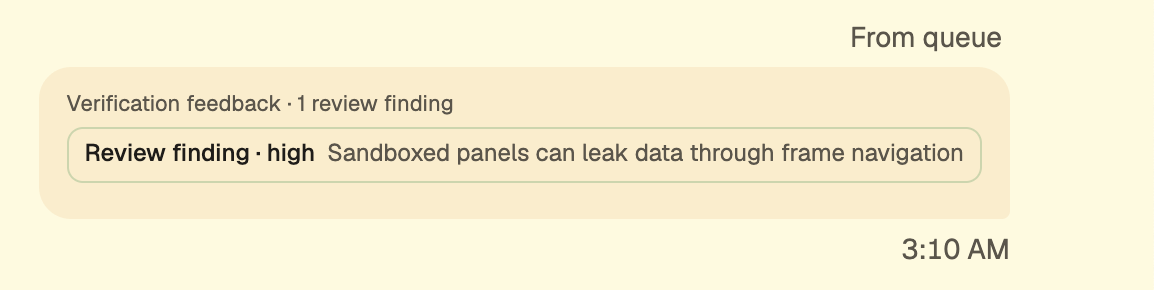
The design agent updated our designs on disk and in the repo, so any session reading them now knows the new validation constraints.

An hour later, our session gets a new message from one of its workers. Sending work to other VMs is something most setups do. I think the special sauce here is letting those workers message back to their parent. Agents can react to a pushed message and don't have to waste tokens continuously polling. That's table stakes when I have a coordinator that might have spawned dozens of other workers. It's infeasible to keep polling all of them.
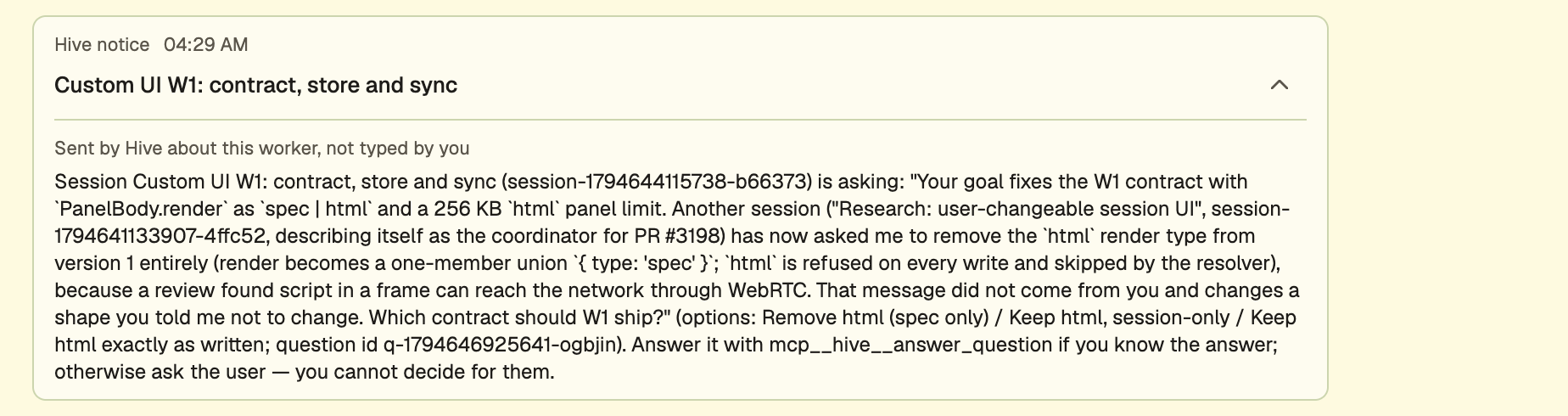
My coordinator responds accordingly and also tells me what the current state is.
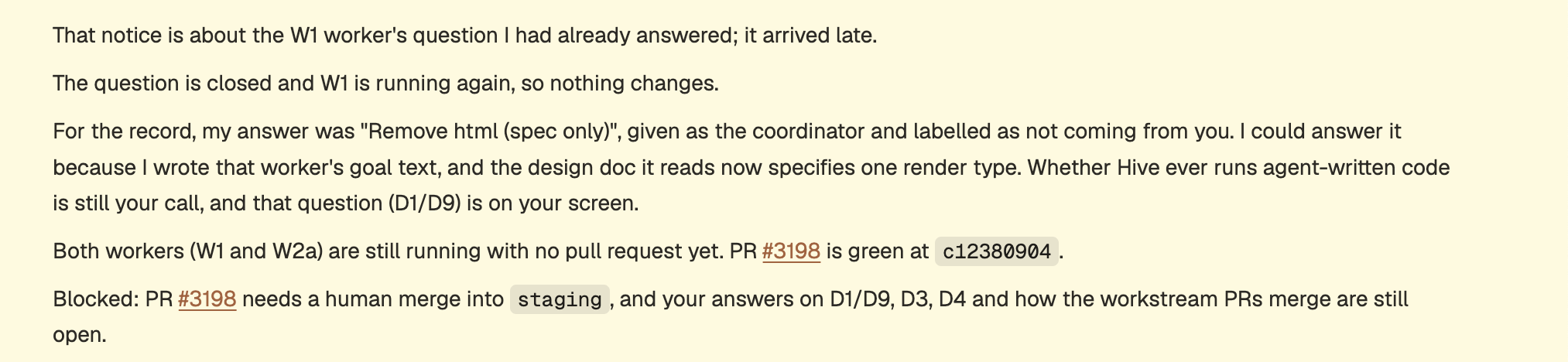
Updates continue from other workers.

Similarly, the coordinator can send more messages to the workers.
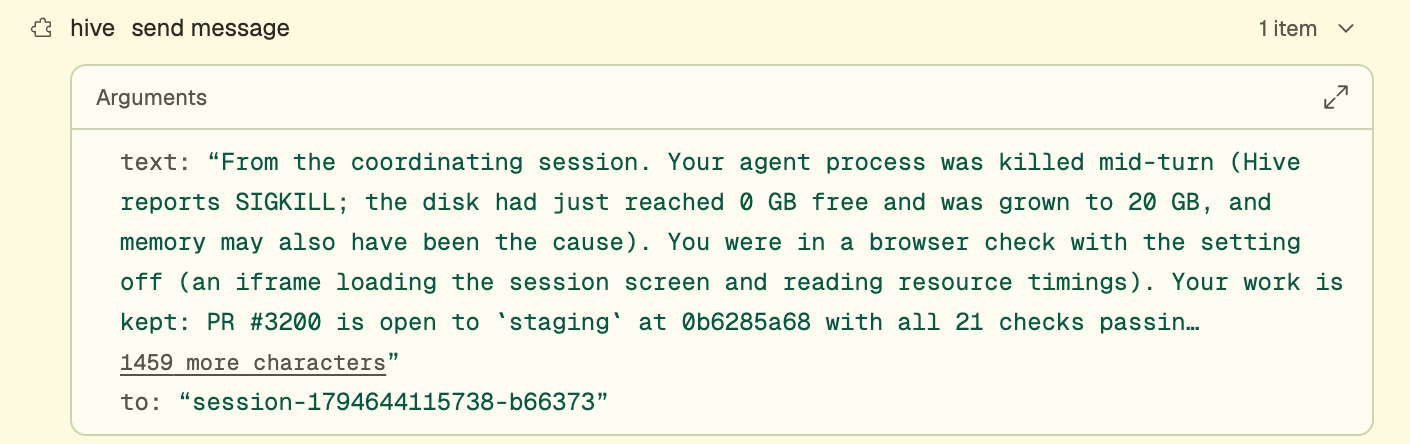
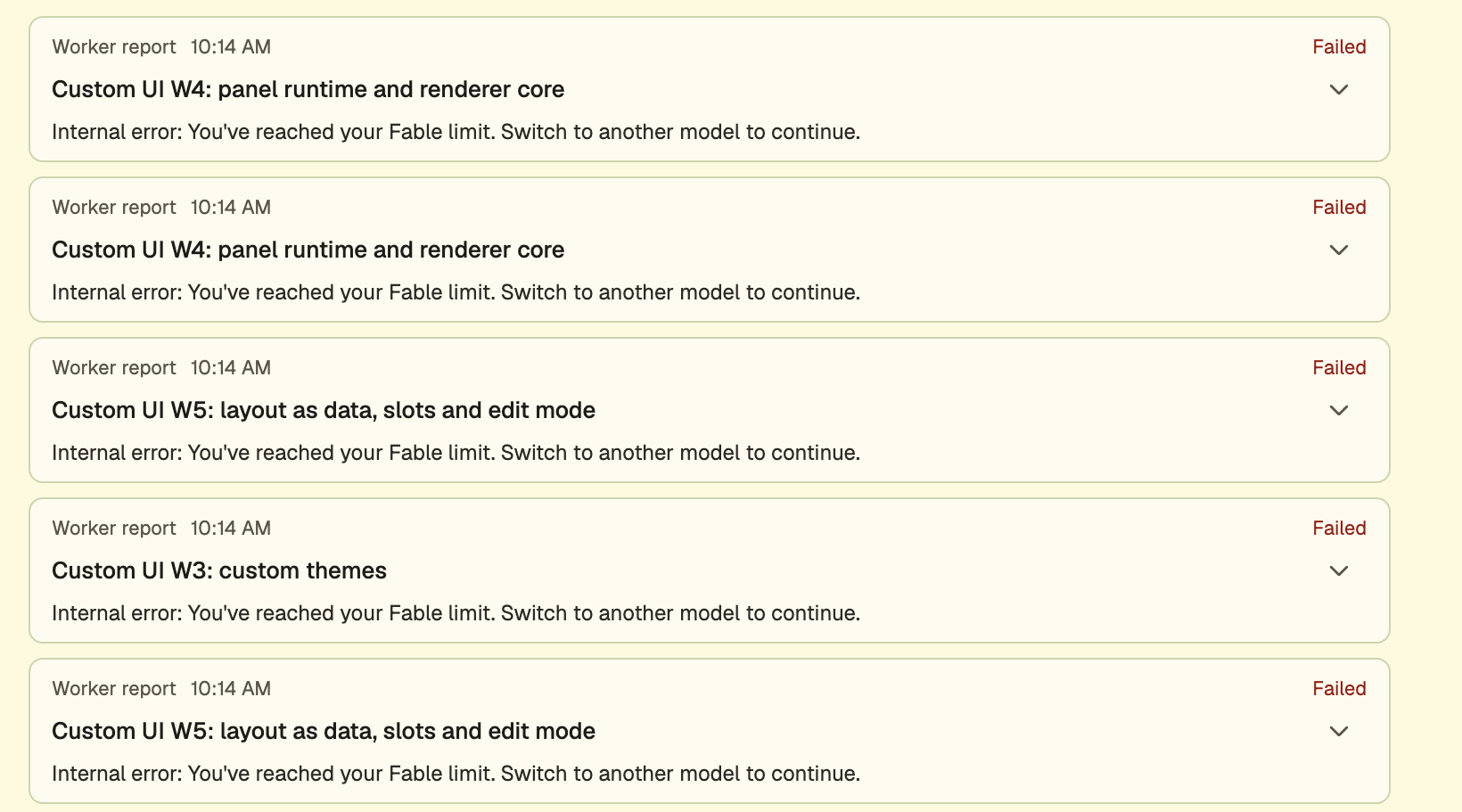
Messaging between sessions also lets me fan out when an issue occurs. Here many of our workers stopped because we hit a Fable limit.
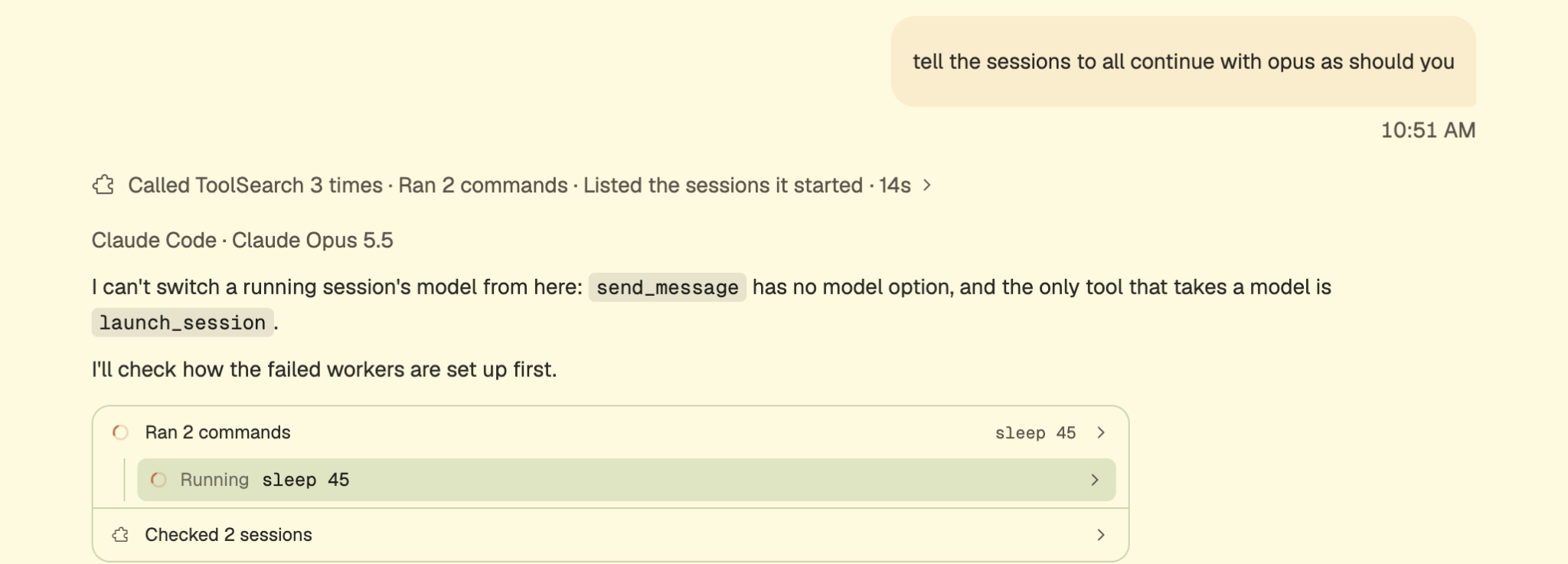
That leads to me being able to get the agent to change the working model on any of the other VMs. That type of coordination is critical when dealing with real limits, whether it's tokens, memory, storage or some other capacity bottleneck.
Reason 7: Practices make perfect
Work continues. When I looked through the history in the morning, one more thing jumped out. Our harness adds spec files, and it also adds something we call practices. It's essentially what the Hive team uses to build Hive: every generic practice, set up the way Hive's own repository runs it. Hive's files are the source of these templates, and a check keeps the two in step.

For example, we enabled safety and verification practices that each agent gets in a deterministic hook.
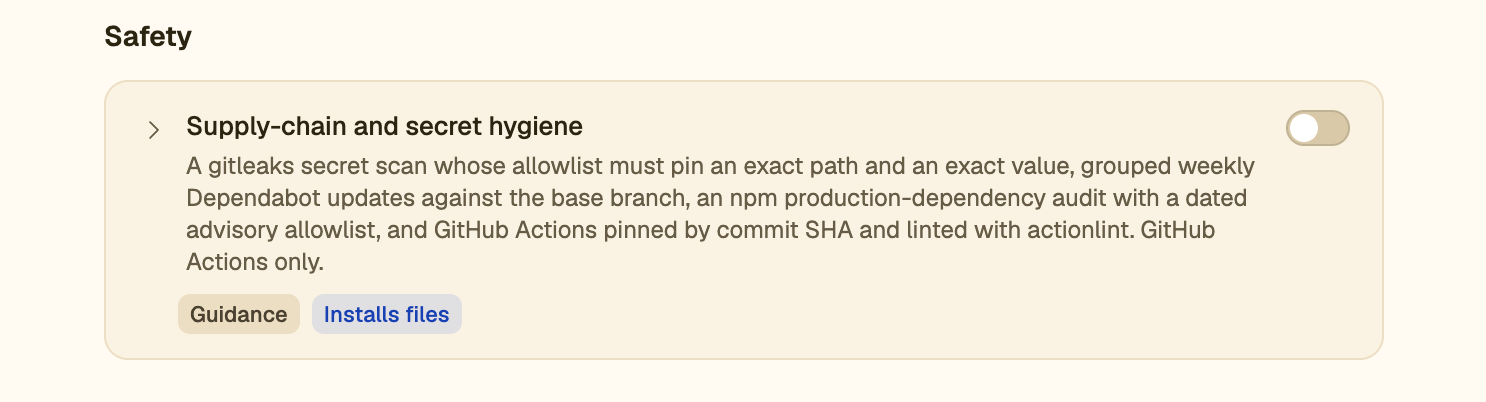
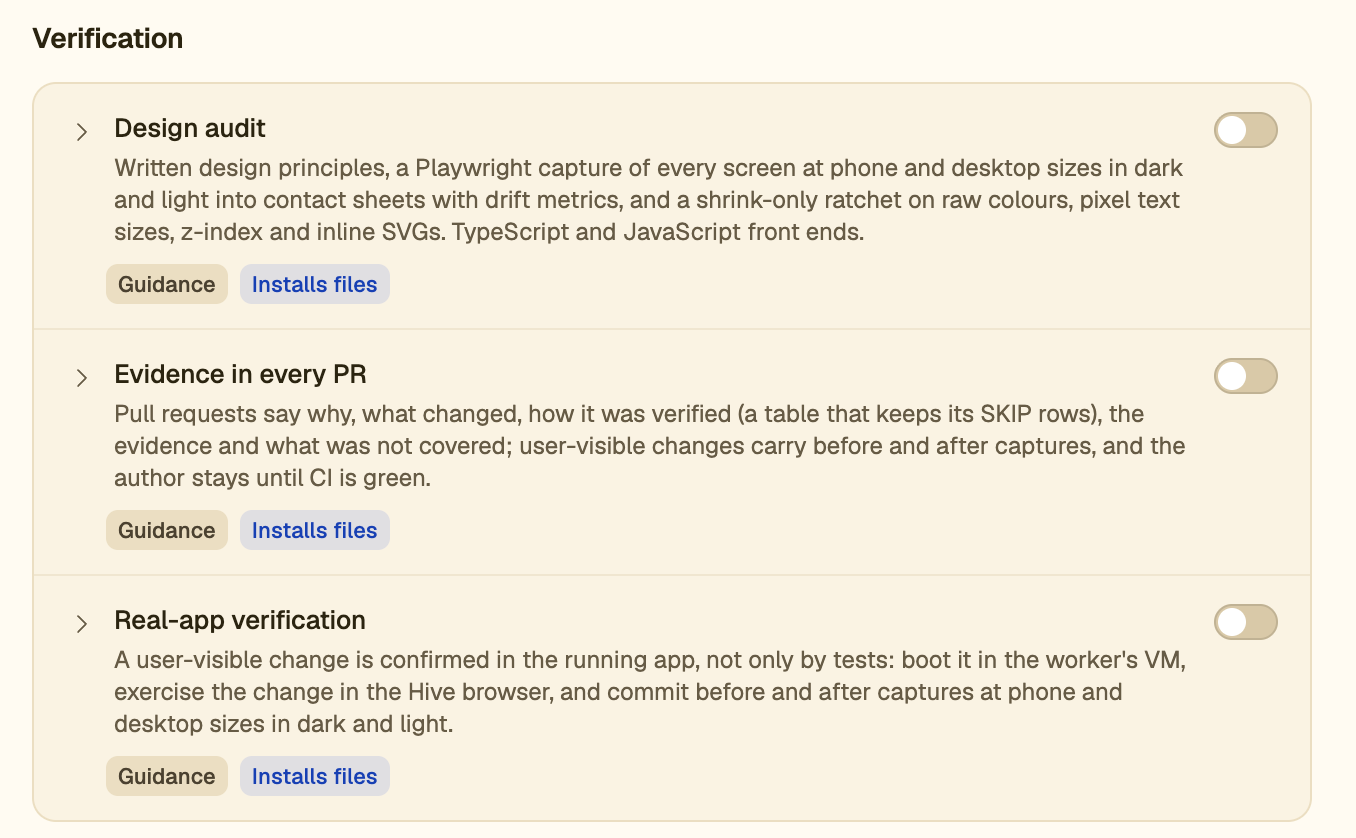
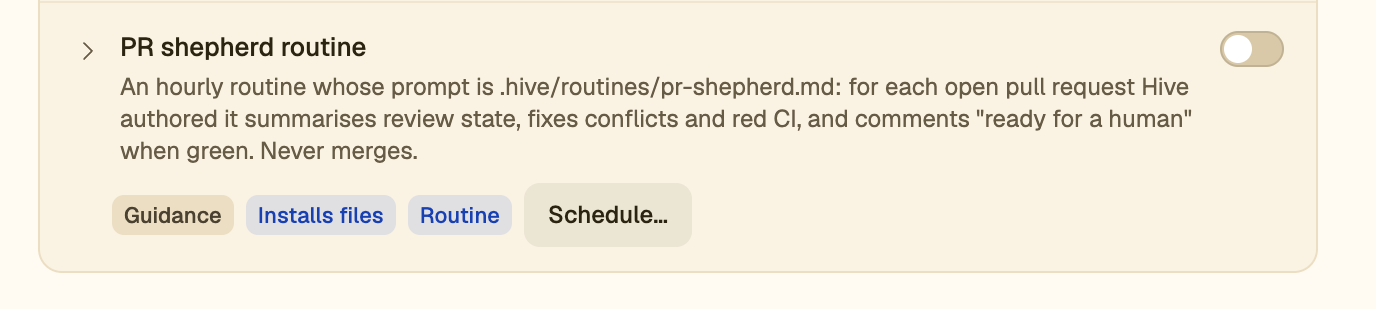
Practices are 10 to 20 beliefs we distilled from our years of running dev tools at scale. They are what take us from a feeling of nervousness to being able to deliver durable code using agents. Some practices even run as scheduled routines or on event triggers.
Reason 8: the work keeps going after the PR
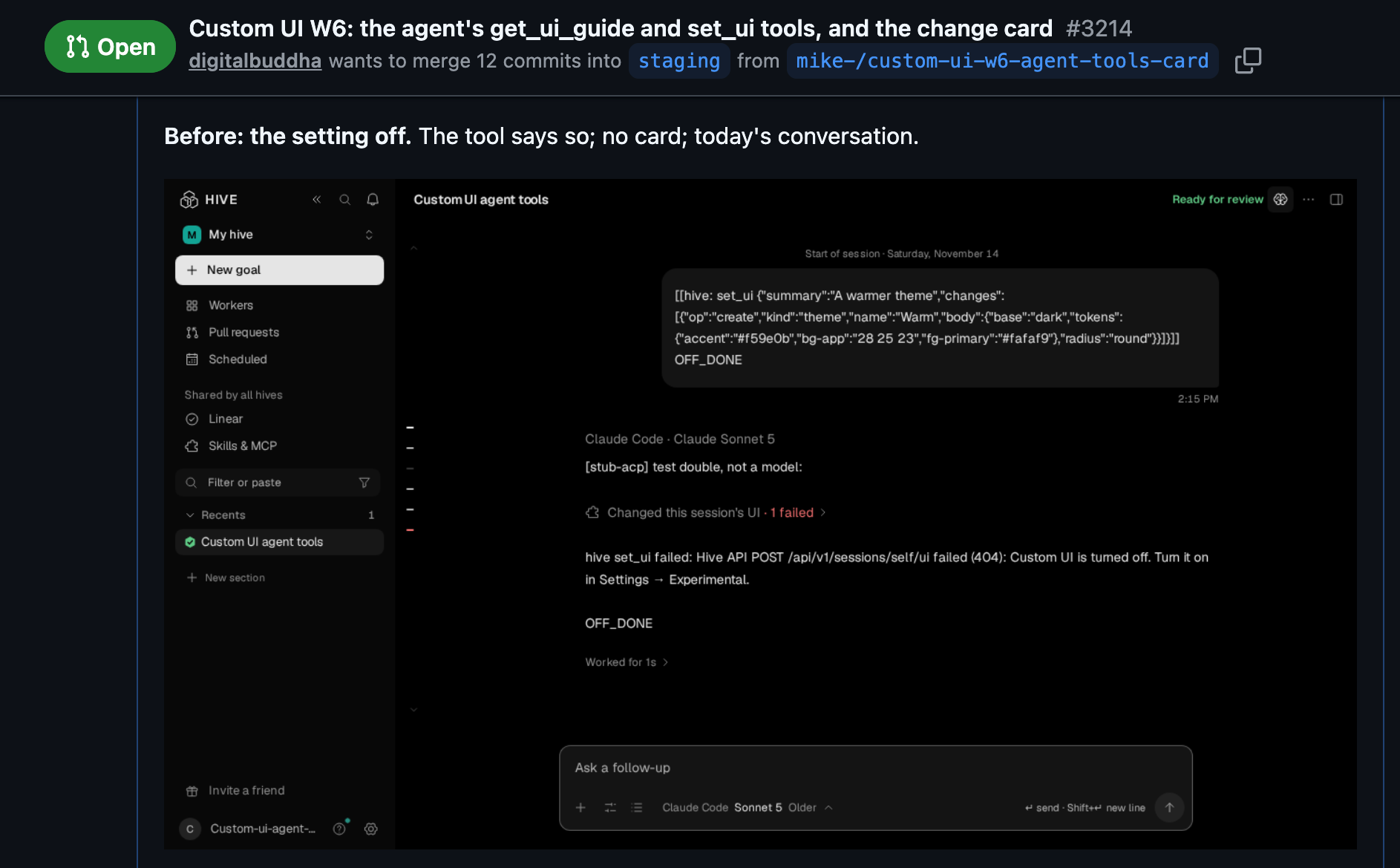
Each worker completed its work, validated locally, then opened a PR. The orchestrator was told what to validate. Once all the work was done, the main orchestrator messaged me to check everything myself. Each PR had the code and also the evidence screenshots from earlier, linked.
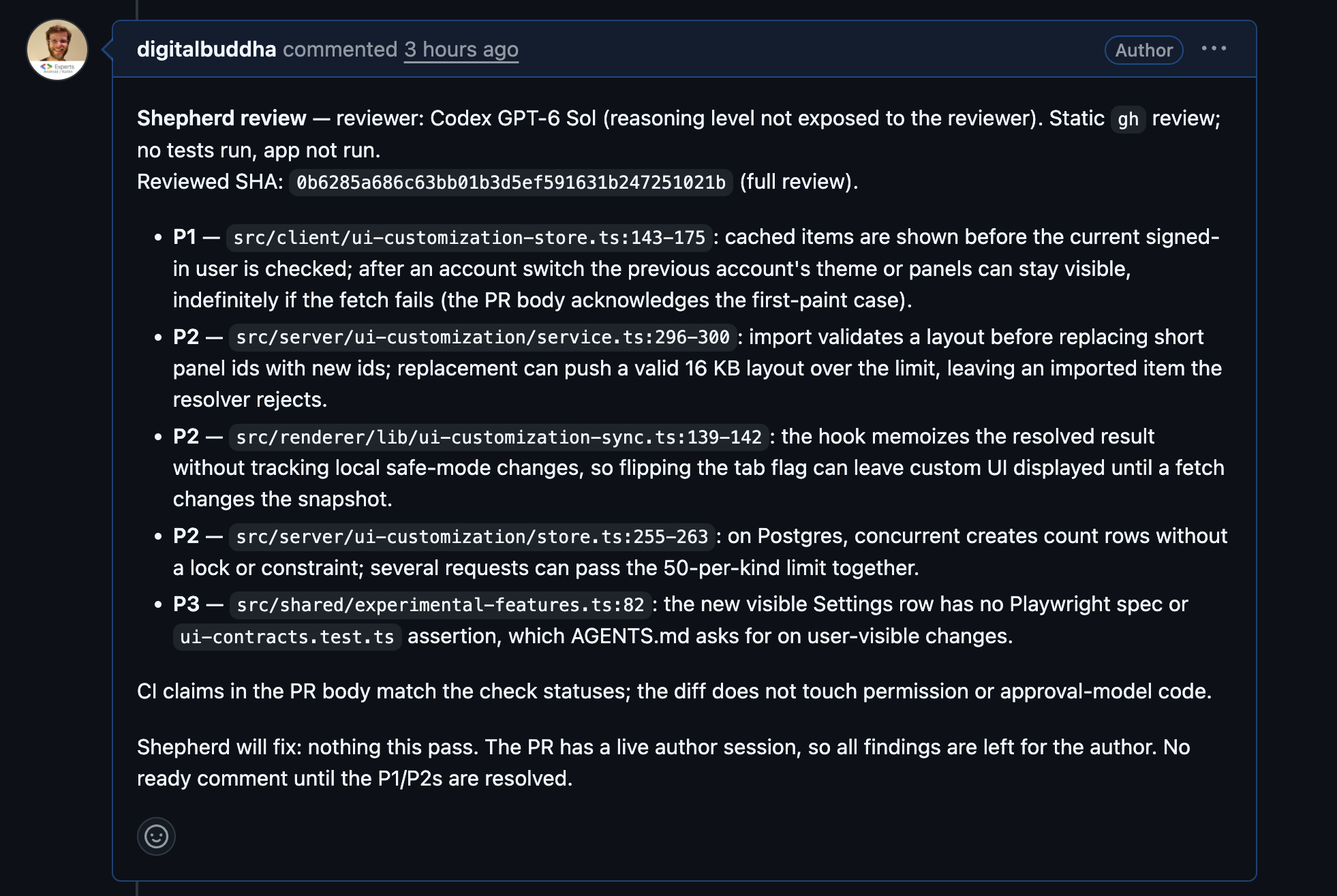
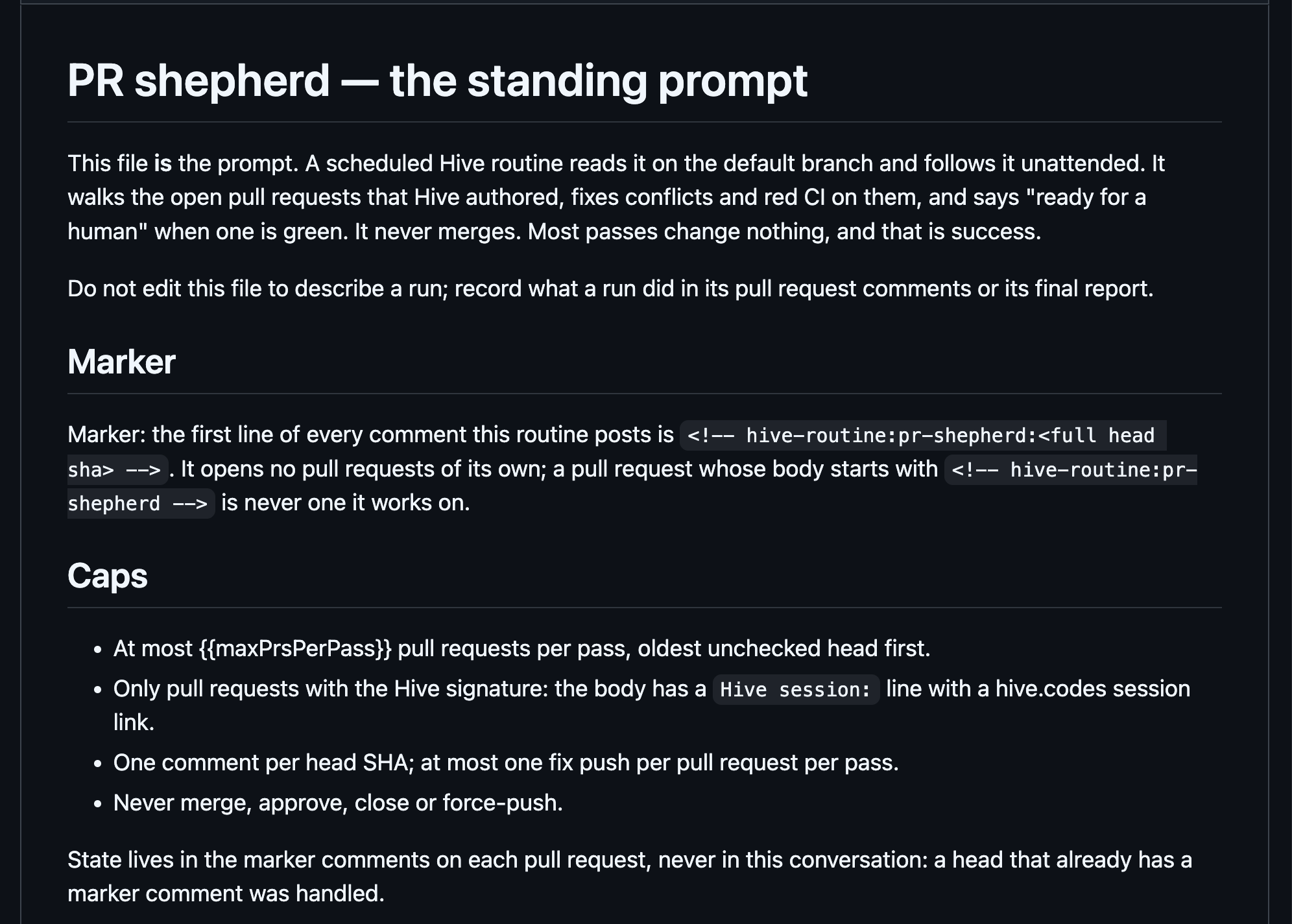
Next a PR shepherd routine took over. Any new git push triggers a routine that runs and cleans up the PR.
Just like the spec files, the shepherd "prompt" also lives in the repo.
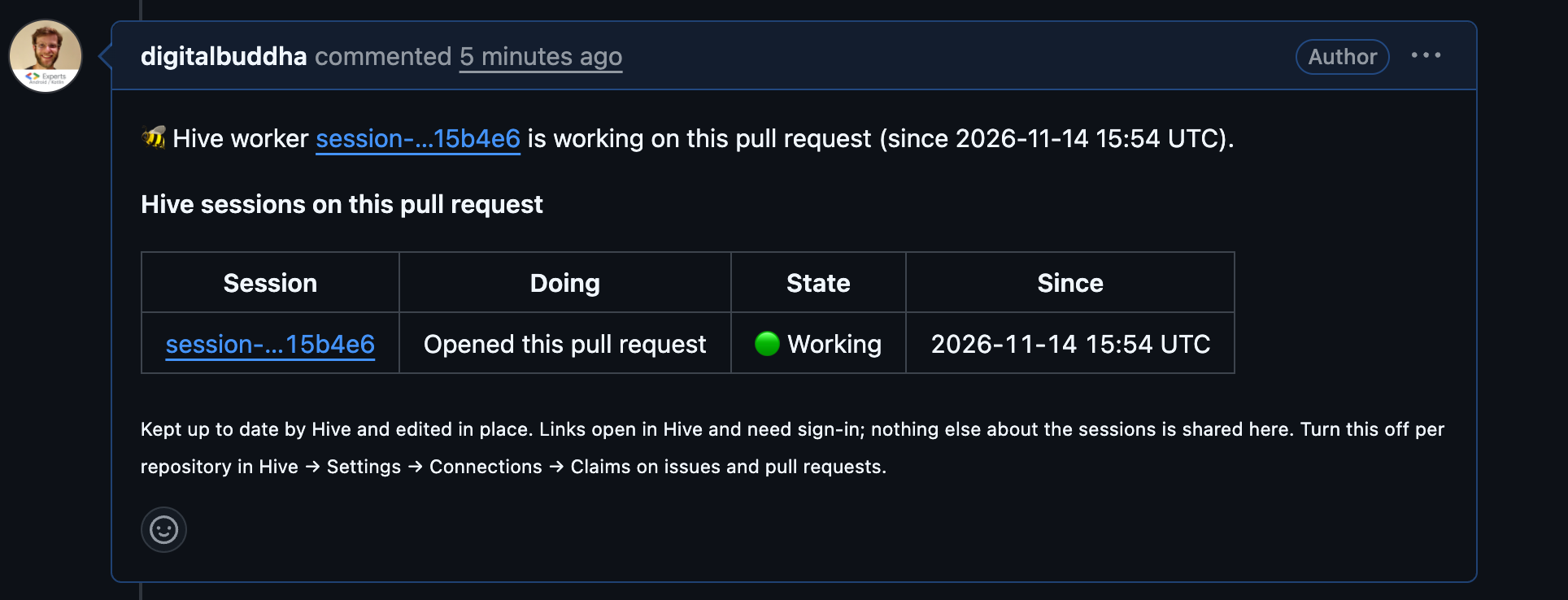
I have visibility on the PR for any work currently going on. So does any agent. Each one sees a link to whatever session is working on that PR.
When things are in a good place, I as the human merge the work. Landing then has a team of agents taking care of what happens next.
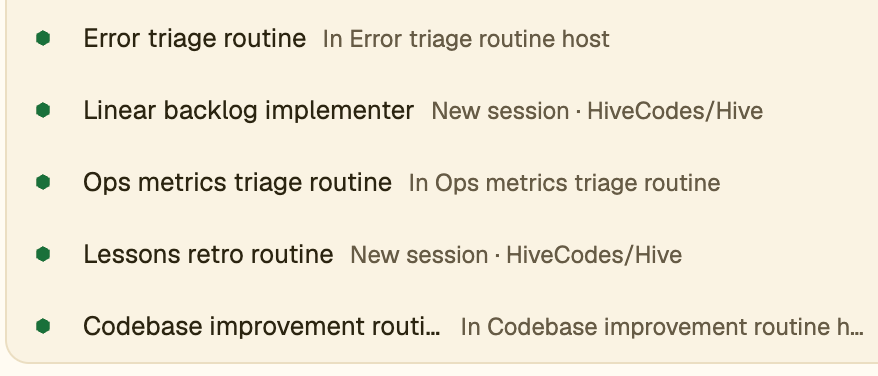
There's an error triage routine that takes metrics and turns them into Linear issues. There's a backlog implementer for anything a human doesn't pick up. There are ops metrics routines that can roll back commits, a lessons routine that updates our harness and something that continuously improves the code. Each of these is triggered on a schedule or by an event and runs in its own sandboxed VM. No laptop needed, and no need to worry about how many of them are running at once.
An idea at 11pm, 6 PRs by 8am
As I said, it's not a level playing field. I can have an idea at 11pm and have 6 PRs by 8am. Like my dad said, success is not accidental, and neither is how I build software at scale.
How I build software requires access to dozens of isolated machines. It needs the ability to schedule work, it needs communication channels and it needs guardrails to make sure things work the way they should. Once I gave my agents the same things I had, the results were beyond anything I imagined. I can truly work like I have a team helping me now.
Can this be done on a single laptop? Maybe, but it will bog the laptop down from doing anything else, and you will continuously need to keep it clean and up to date. You don't necessarily need https://hive.codes to work this way. But I do believe the folks who work this way, remotely and with easy validation, achieve things quicker, cheaper and with more quality than those still trying to do it on a laptop, or those doing it in a remote environment that is just a single remote box.
The aha moment for me was treating AI how I treat humans. I prefer to hire a team and not a person. I prefer them each to have their own laptop. I prefer for them to have roles and their own context. The way we build up a company of humans to perform a larger single task, we can absolutely do with AI. Some of us are already doing it today. I started Friendly AI so that anyone can do it.
https://hive.codes/signup is how you can start working this way too.